


Tiny Scanner's cloud sync feature has been available for a while now, and it's quickly become an essential tool for users who need a flexible, reliable, and secure way to store and manage their documents. With cloud sync, your files are no longer tied to a single device, meaning you can log into your account from the web or mobile app to view and download your files. This feature gives you peace of mind, knowing that all of your scanned documents are securely stored in the cloud, ready for you to access anytime and anywhere.
Getting Started with Cloud Sync
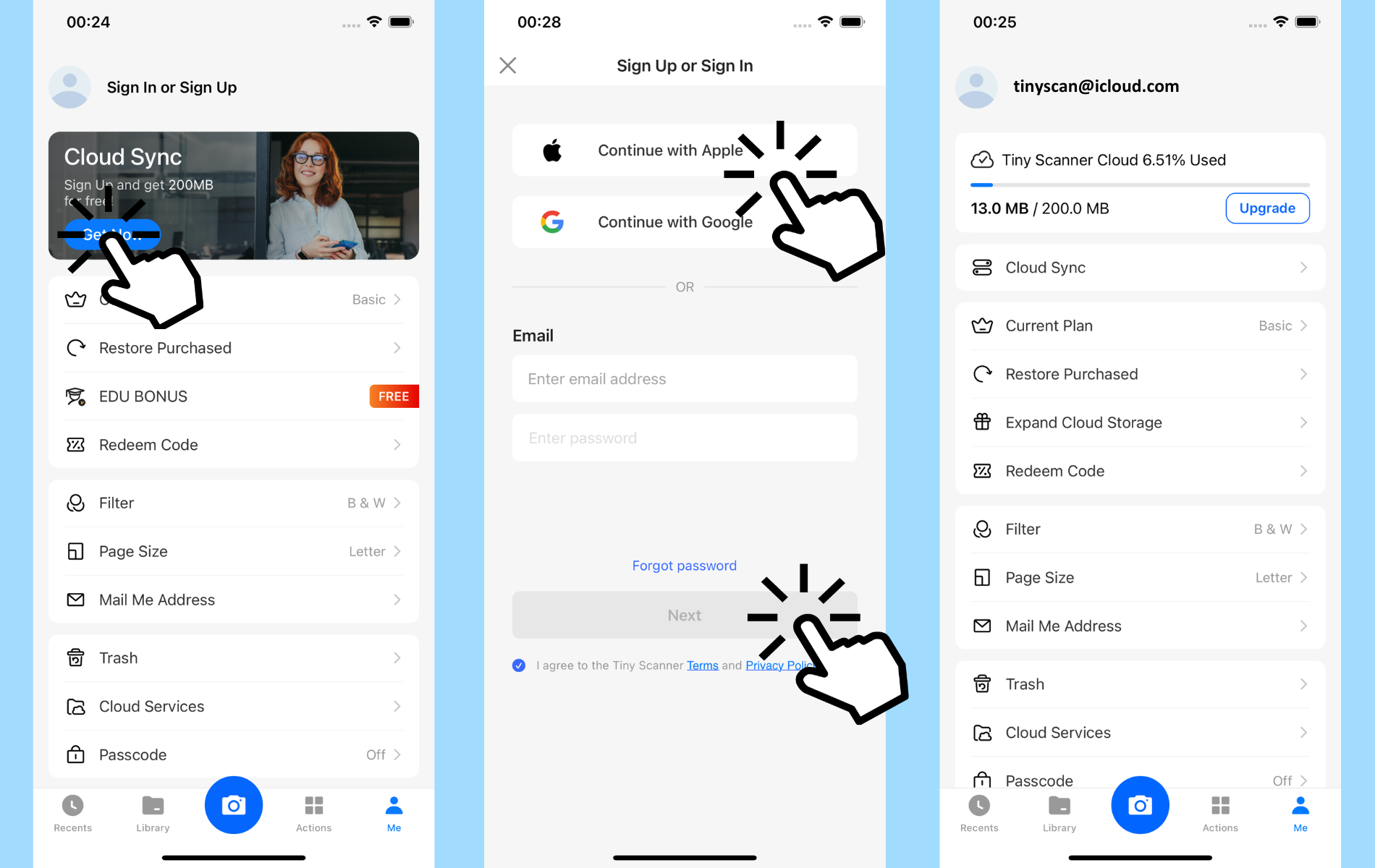
If you're new to Tiny Scanner's cloud sync, getting started is easy. Simply go to the "Me" page within the app and tap the "Get Now" button on the banner. This will prompt you to sign up for a Tiny Scanner account, and as soon as you're registered, you'll have access to 200MB free cloud storage. From there, each document you scan will automatically be stored in your secure cloud space, making it accessible from any device, no matter where you are.
Managing Your Cloud Space
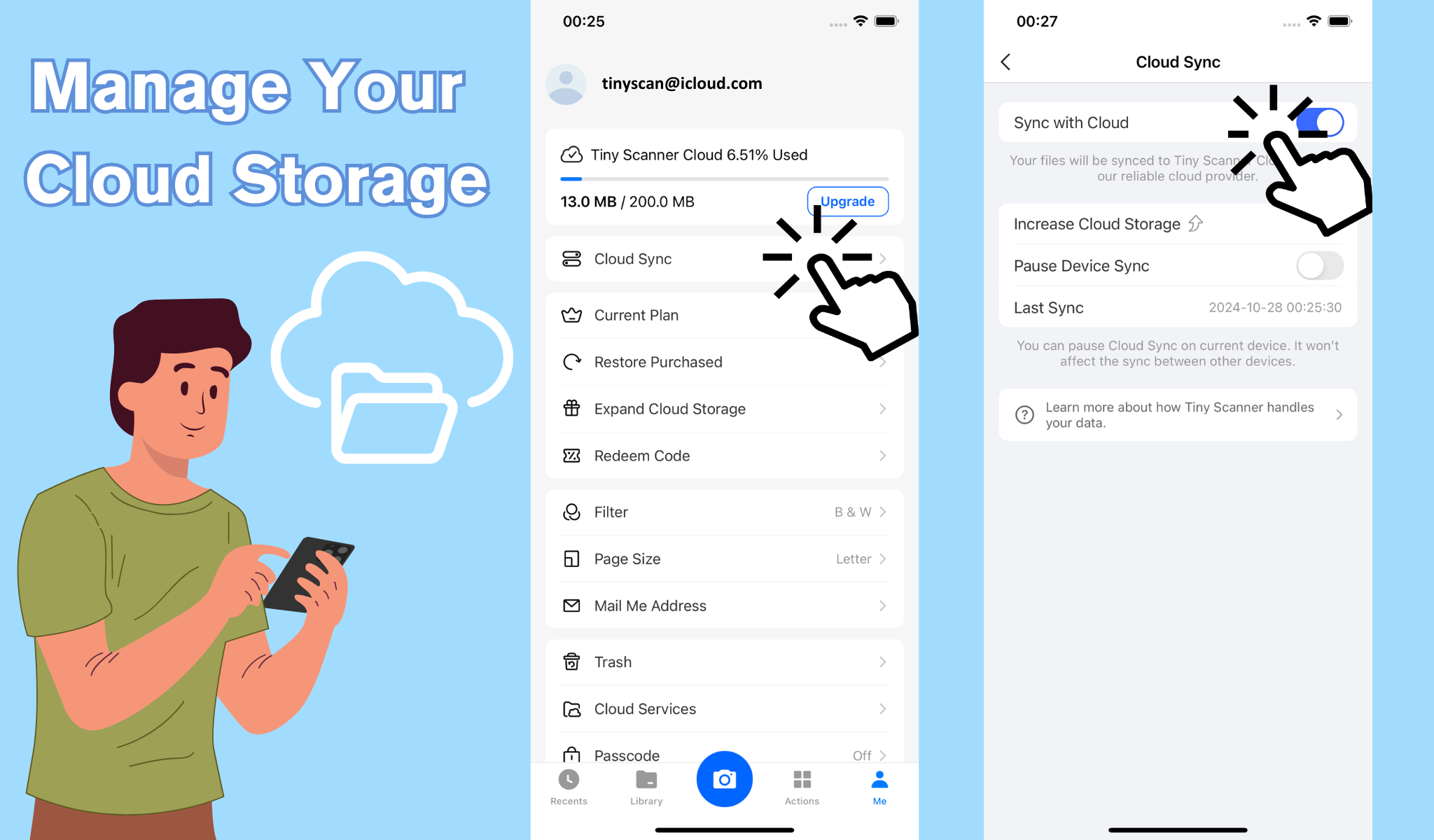
The "Cloud Sync" section of Tiny Scanner is where you can fully customize your cloud storage experience. Here, you'll find options to review the last sync time, so you know exactly when your files were last backed up. You're also in control of the syncing process itself. When you log into the app, cloud sync is enabled by default. You can choose to turn off sync here if you'd like.
If you ever find yourself in need of extra storage, Tiny Scanner has you covered! Keep an eye out for special events and promotions that offer opportunities to increase your cloud storage space, so you can keep storing and managing your documents with ease.
Additionally, you can click the "Login or Sign Up" button at the top right of Tiny Scanner Web to access your account, view, and download the files stored in your cloud space.