



Ever sent out an important document only to find it circulating without your name on it? Wish to ensure professionalism and security while sharing business files, academic notes, or personal records? That's where Tiny Scanner's watermark feature comes in handy.
Why Use Watermarks in Tiny Scanner?
Adding a watermark to your scanned documents offers several benefits:
Professionalism: Brand your documents with your name, company, or logo for a polished look.
Security: Prevent unauthorized use by marking files as "Draft," "Sample," or "Confidential." Especially crucial when scanning IDs or sensitive documents.
Organization: Label documents with dates, project names, or categories for easy identification.
Ownership: Protect your intellectual property by adding a copyright notice or signature.
How to Add a Watermark in Tiny Scanner?
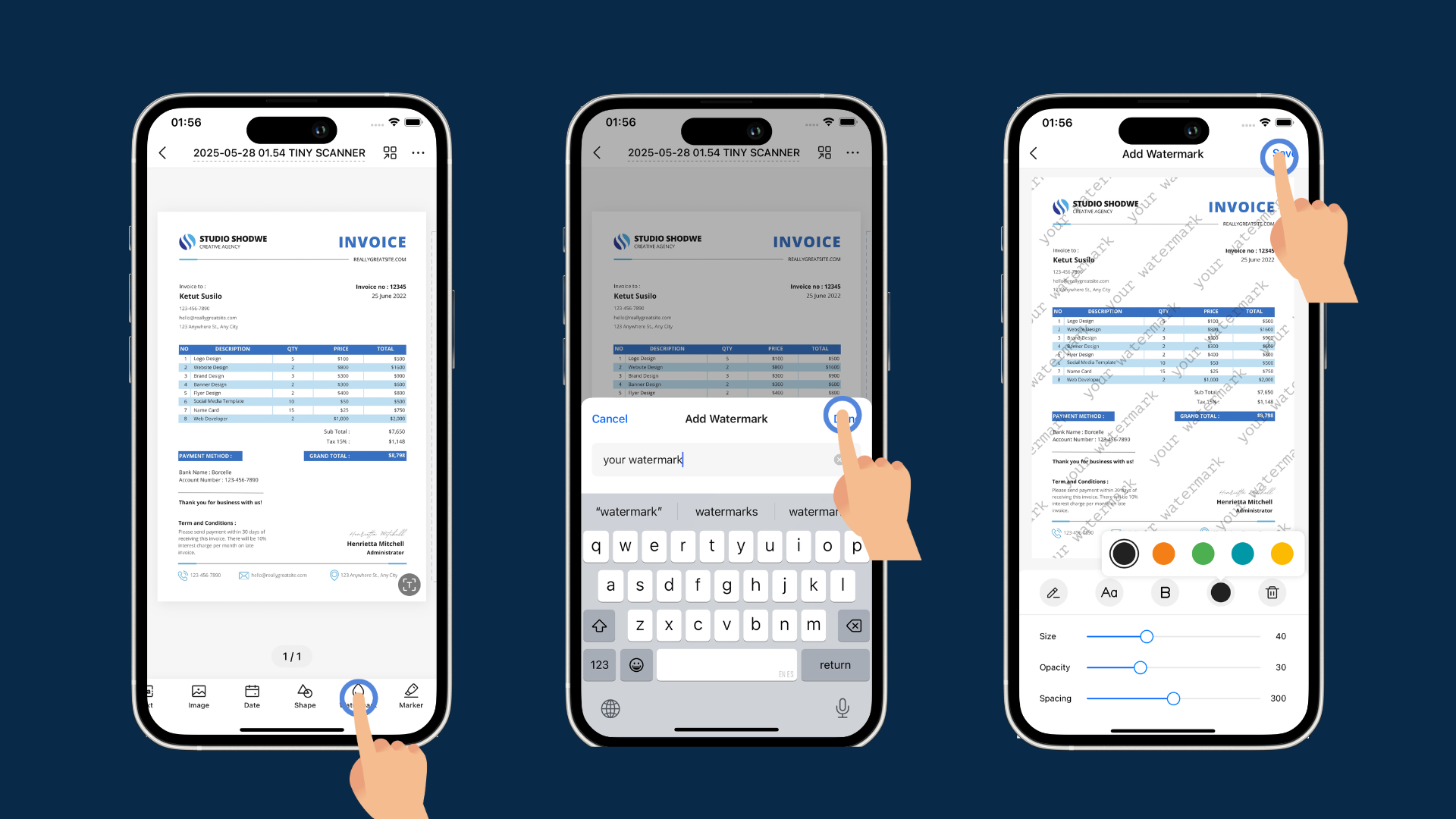
Step 1: Tap the "Watermark" button on the details page.
Step 2: Enter your desired text (e.g., your name, company, or "Confidential").
Step 3: Adjust the size, opacity, and spacing to suit your preferences.
Step 4: Save the document, and your watermark will be embedded.
Bonus: Custom Watermark (Android Only)
Take your watermarks to the next level with Tiny Scanner's advanced customization (currently Android-exclusive). After entering your text, you can:
- Change fonts to match your brand style
- Adjust colors for better visibility
- Rotate text for creative layouts
This powerful feature lets you craft professional logos or personalized signatures right within the app. Whether you're branding company documents or adding a personal touch to your scans, these customization options give you complete creative control.