


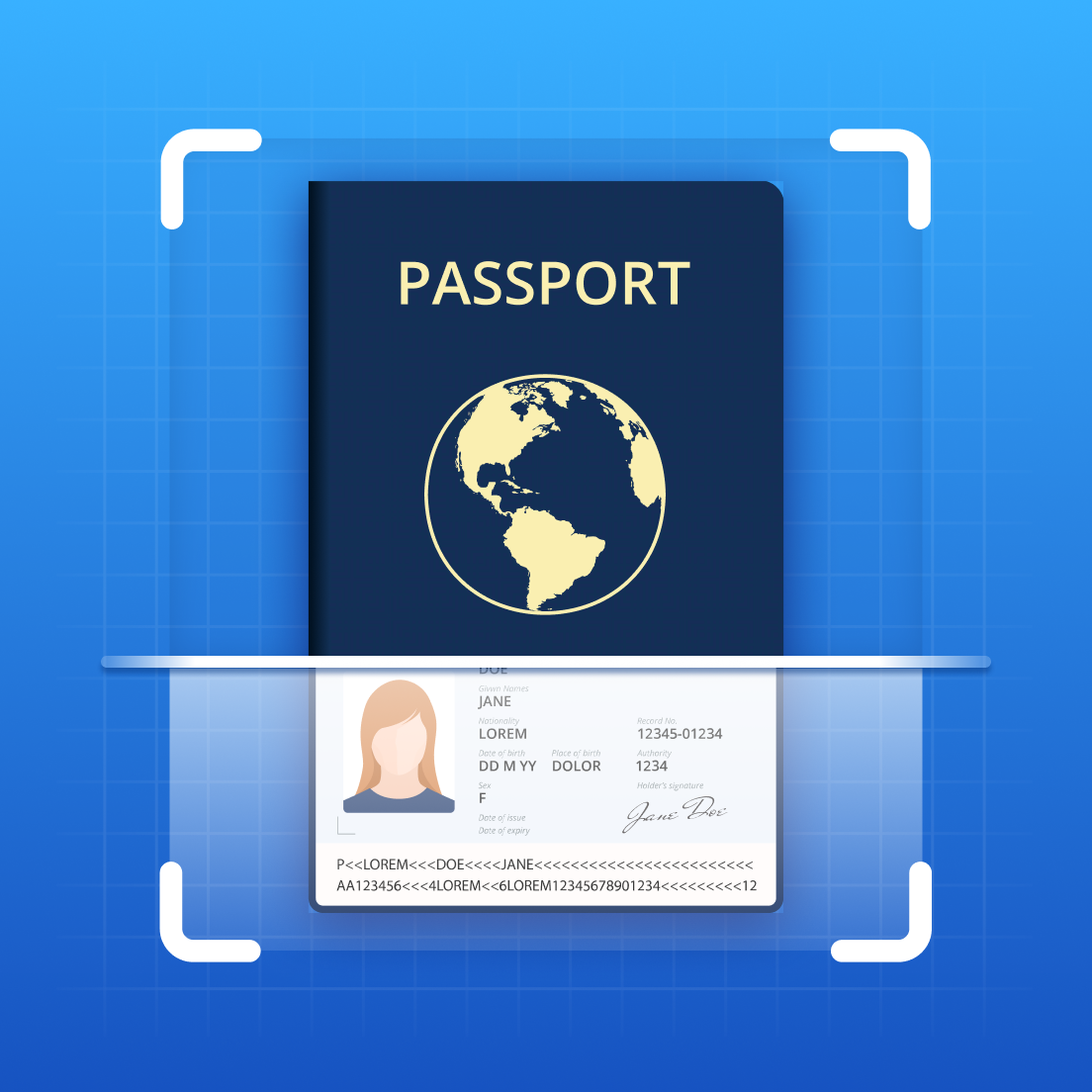
Scanning ID cards and passports is a common requirement in various situations, such as online applications, travel documentation, or record-keeping. With the Tiny Scanner app, you can easily scan and digitize your ID cards and passports, ensuring clear and high-quality results. In this blog post, we will provide a step-by-step guide on how to scan ID cards and passports using Tiny Scanner, while highlighting the benefits of using this dedicated application.
Scanning ID cards and passports with Tiny Scanner offers several benefits:
- Provides a user-friendly interface for easy and efficient scanning.
- Generates clear and high-quality scans, preserving the details and accuracy of ID cards and passports.
- Supports various export options, such as PDF or JPG file formats, for easy sharing or printing.
- Offers password lock and watermark functionality to ensure the security and copyright protection of important files.
- Enables convenient management and retrieval of scanned files, saving you time and effort.
ID Card Scanning Mode
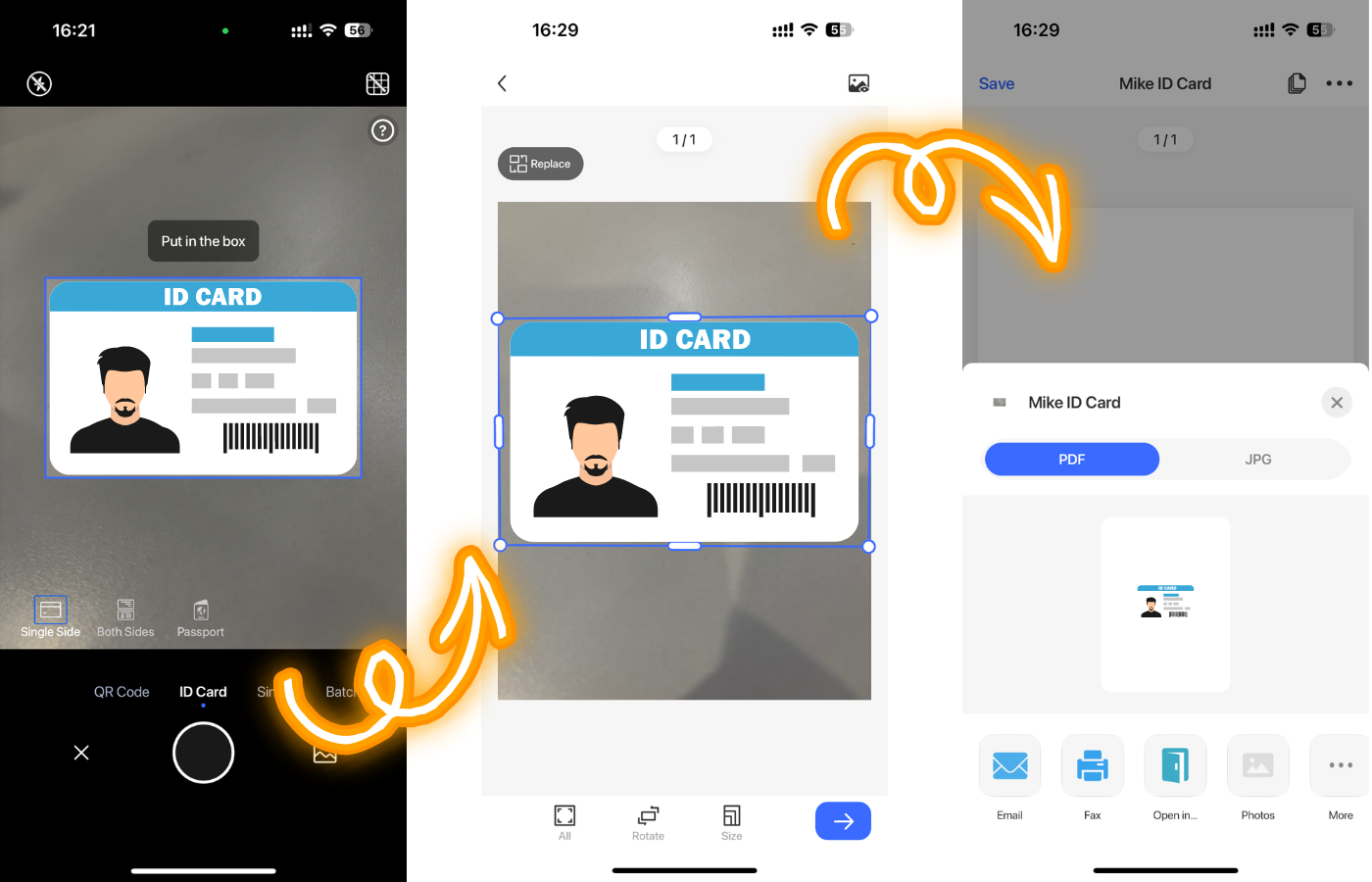
Step 1: Depending on your needs, choose between single-sided or double-sided scanning mode.
Step 2: After scanning, you can adjust the edge alignment slightly to obtain a clear scan.
Step 3: For double-sided scanning, you will need to scan the front and back separately, and the results will be automatically merged into a single file.
Step 4: You can choose different export options, such as PDF or JPG file formats.
Passport Scanning Mode
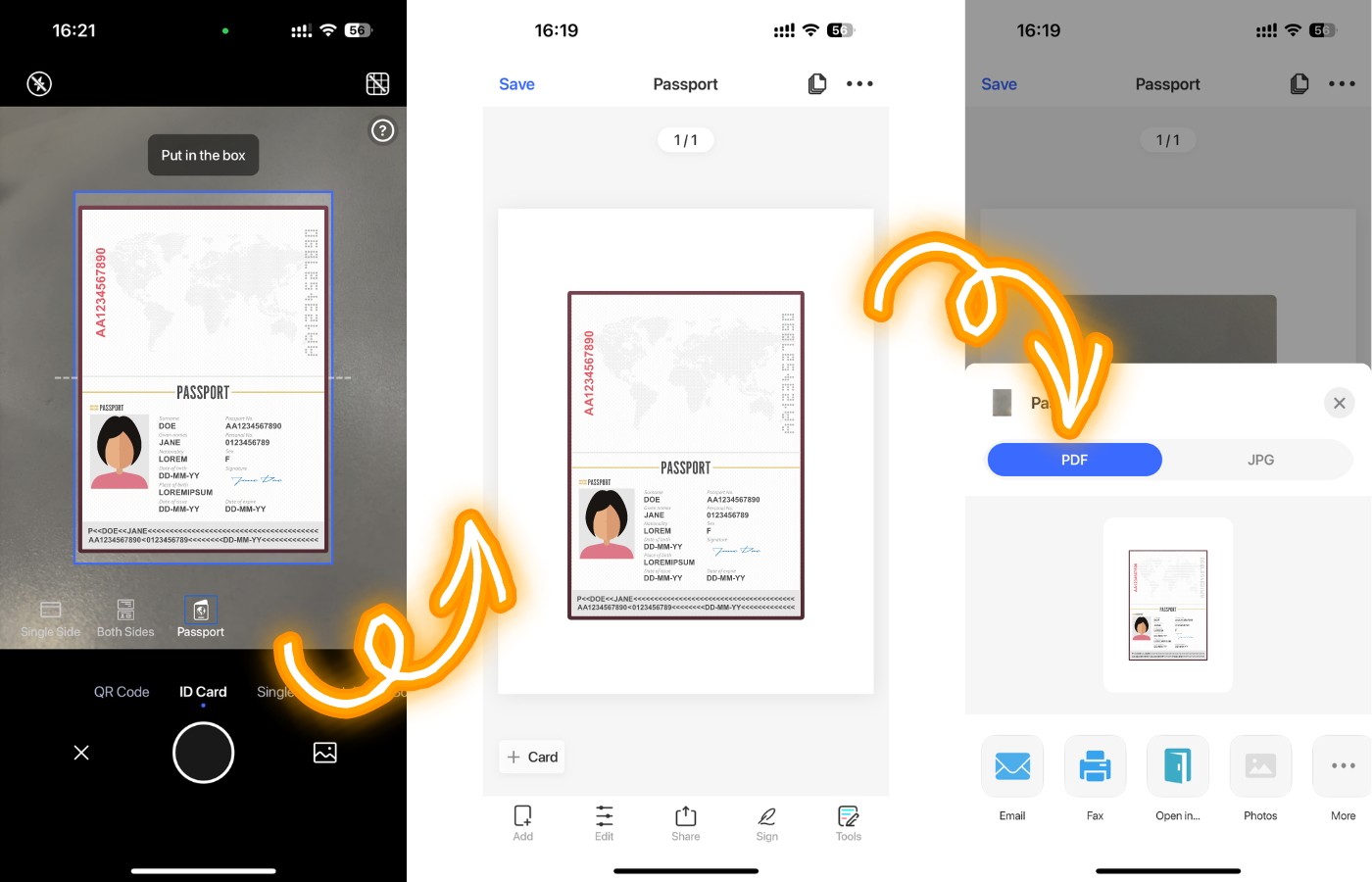
Step 1: Place your passport within the designated area, and Tiny Scanner will generate a clear scan.
Step 2: Similarly, you can select different export options, such as PDF or JPG file formats.
Security
Within the Tiny Scanner app, you have the option to lock your important files with a password. This ensures that your sensitive documents are protected, and only authorized individuals can access and use them. Additionally, you can add watermarks to your important files to protect your copyright.
Why not use the smartphone camera for document capture?
- The camera cannot automatically detect edges, requiring manual cropping, which adds complexity to the process.
- The resulting image quality may be poor and may not match the clarity achieved with Tiny Scanner scans.
- You may need additional tools to convert the file format, adding extra steps and inconveniences.
- Files stored in the photos lack security protection and may be easily lost or accessed by others.
- Locating a specific document quickly in the photos can be challenging, especially in urgent situations.
With the Tiny Scanner app, you can effortlessly and effectively scan and manage your ID cards and passports, making your work and life more convenient!